Is There an App That Shows Your Shopify Catalog Ranking?
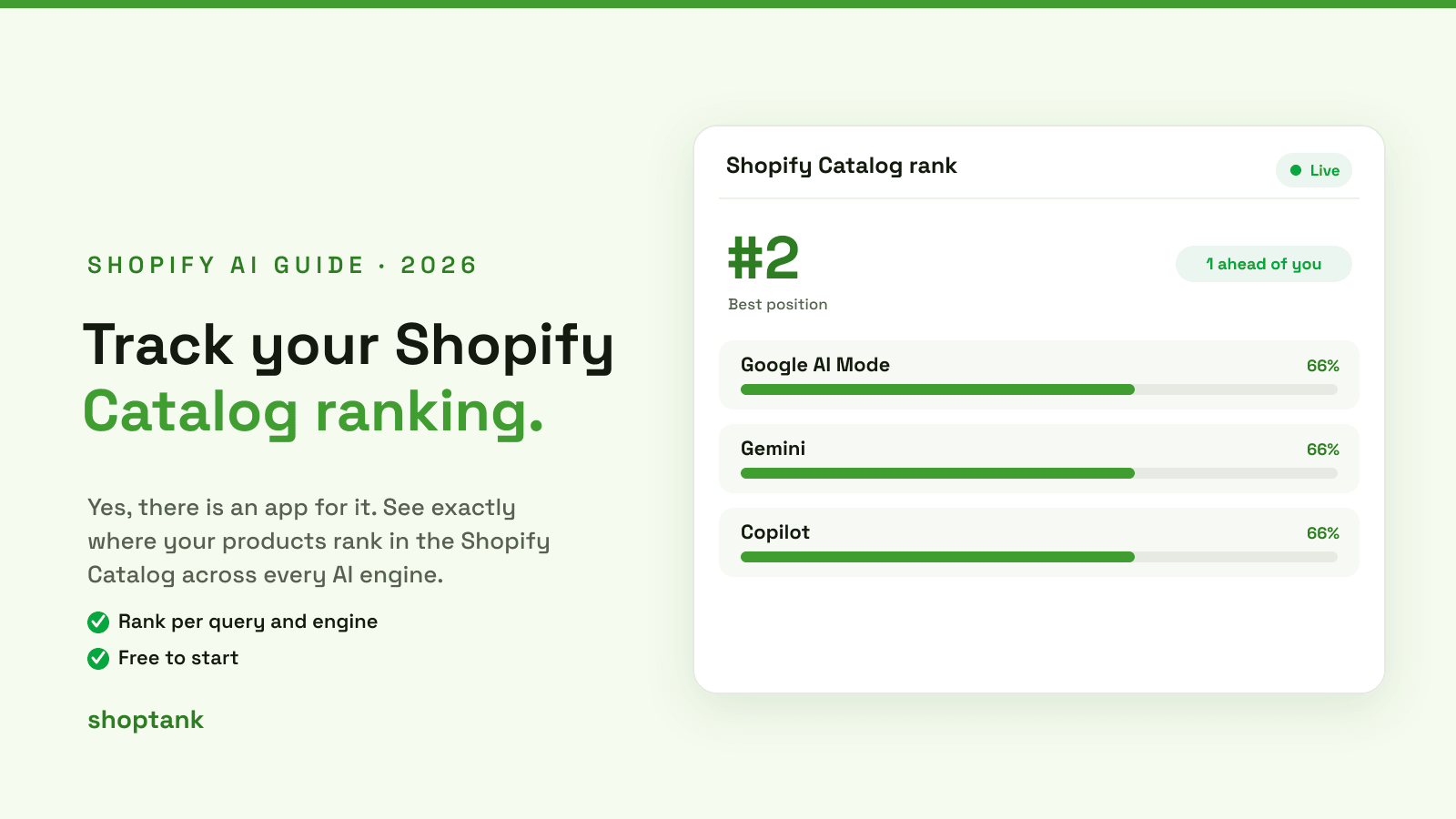
Short answer: yes. If you want to see exactly where your products land when an AI shopper searches, there is an app for that. It is called Shoptank, and it shows your position in the Shopify Catalog for every buyer query, across the AI engines that shop from it. Here is how the Catalog works, what a Catalog ranking is, and how the app shows it.
Key takeaways
- The Shopify Catalog (UCP) is the shared product feed AI shopping surfaces pull from. It has the biggest reach of any source.
- Your Catalog ranking is where your product lands among the results the Catalog returns for a query.
- Shoptank shows that rank per query and per engine, and charts the trend over time. It is free to start.
On this page
- What is the Shopify Catalog
- What a Catalog ranking means
- The app that shows it
- How to check your ranking
- How to climb
What is the Shopify Catalog
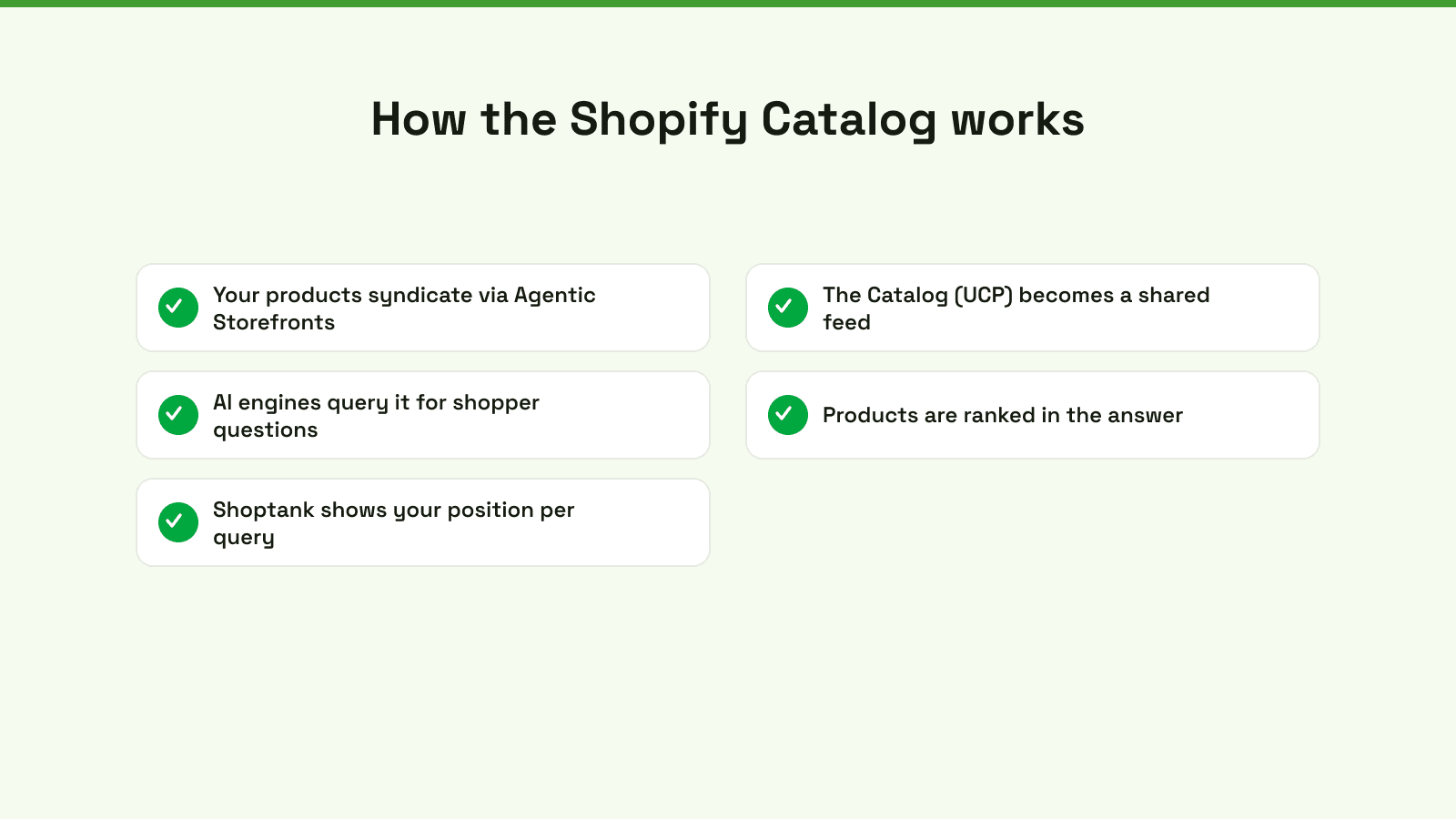
The Shopify Catalog, also called the Universal Commerce Protocol or UCP, is the shared product feed behind Shopify Agentic Storefronts. When you turn Agentic Storefronts on, your products syndicate into this one catalog. AI shopping surfaces like Google AI Mode, Gemini and Copilot then query the Catalog when a shopper asks what to buy, and rank products straight from it. Because every eligible store feeds the same catalog, it reaches more AI answers than any single site can, which is why it is the highest-reach source to win.
For a deeper walkthrough, see our guide to how the Shopify AI Catalog works.
What a Catalog ranking means
When the Catalog returns products for a query, they come back in an order. Your Catalog ranking is where your product sits in that order. Rank first and you are the top pick the assistant hands the shopper. Rank fourth and you are likely never seen. The rank is per query and per engine, so the same store can be first for one question and invisible for another. That is why you need to track it query by query, not as a single number.
The app that shows it
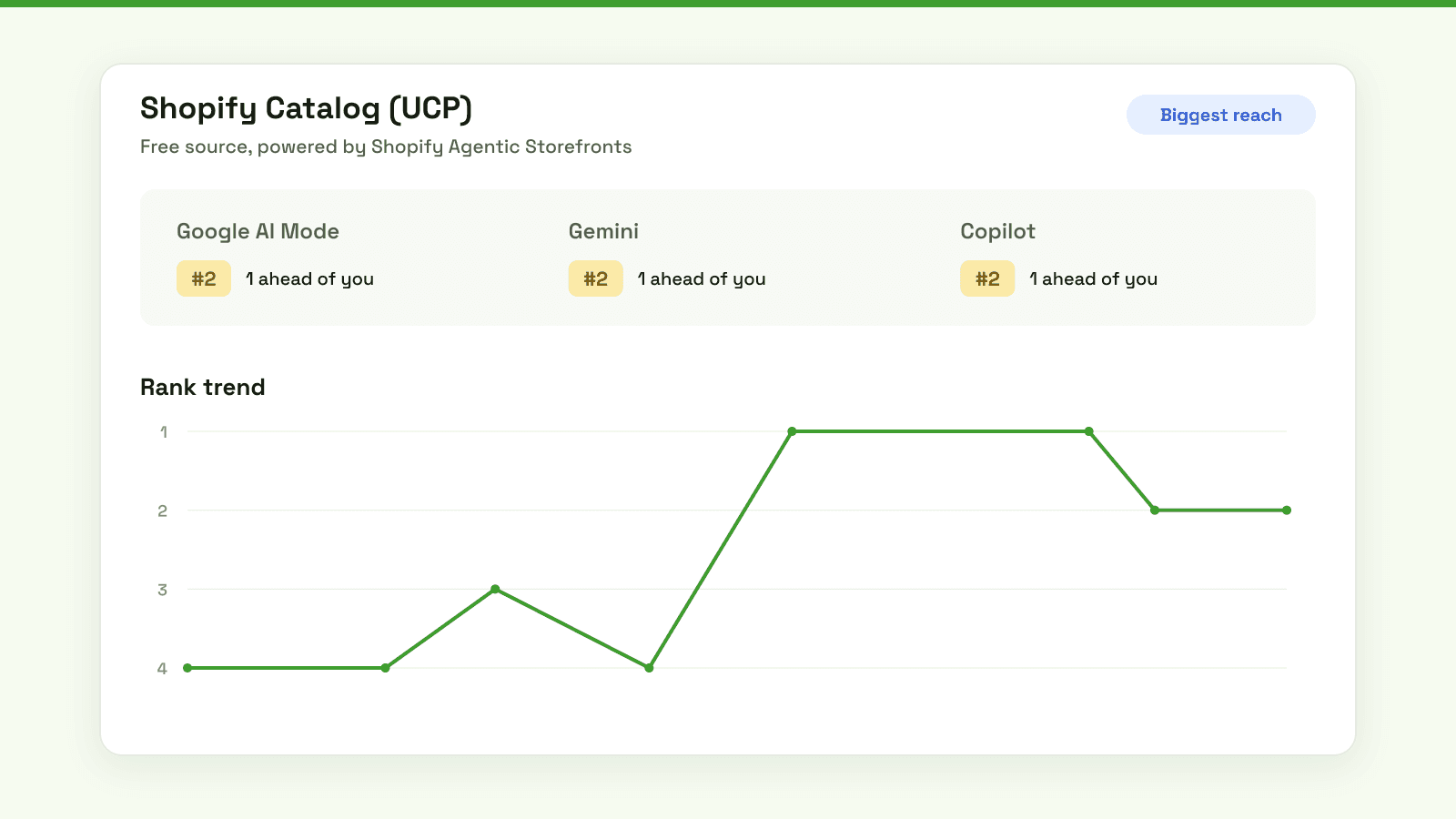
Shoptank reads your Catalog position for each query and shows it in plain terms. For a given query, you can see your rank across Google AI Mode, Gemini and Copilot, whether a competitor is one place ahead, and how your rank has moved over time.
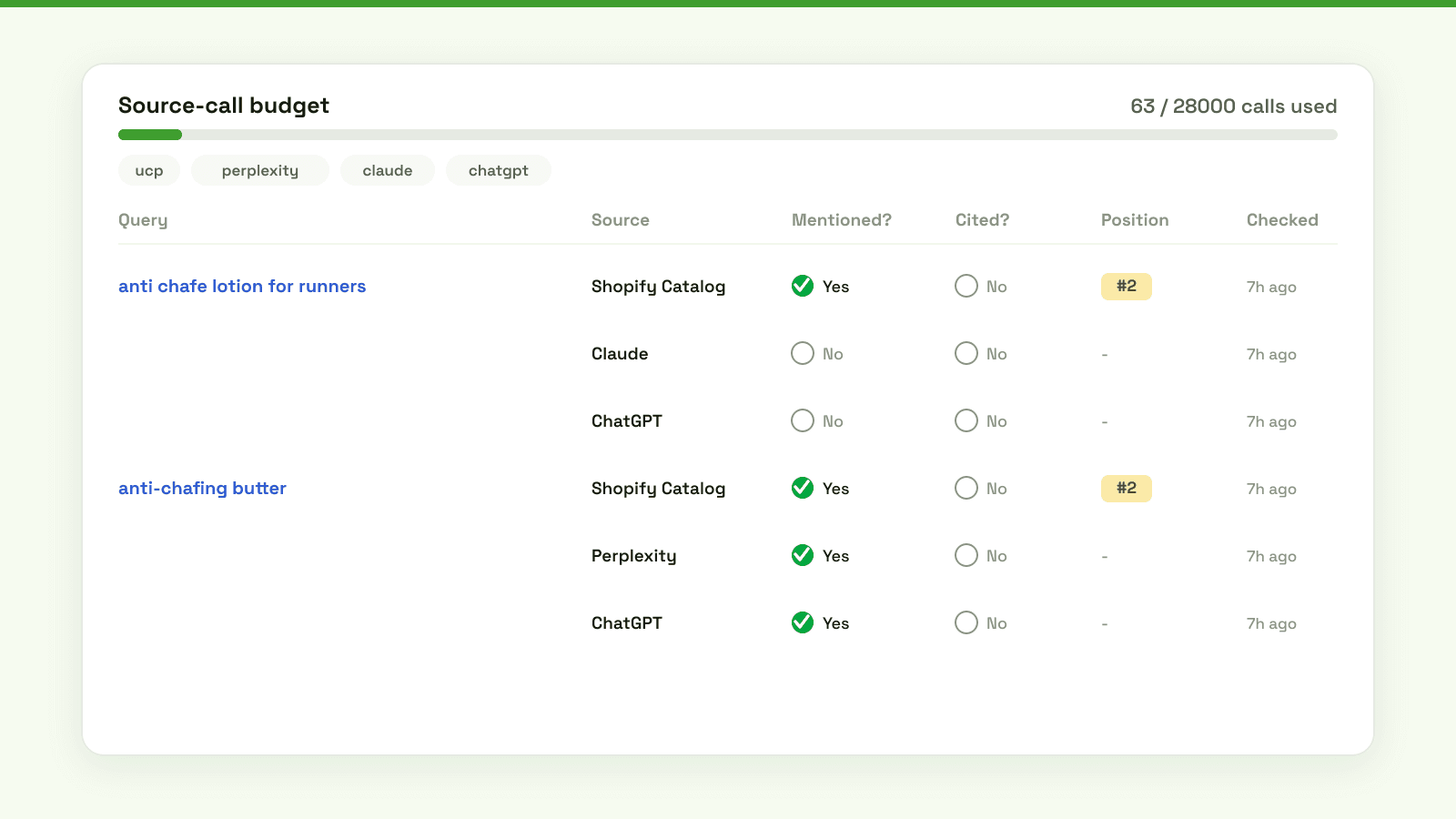
Zoom out and you get the full picture: for every buyer query you track, Shoptank records whether you were mentioned, whether you were cited, and your position, across the Shopify Catalog, Claude and ChatGPT. Green means you are in the answer. A number in Position means you have a Catalog rank to defend or improve.
How to check your ranking
- Turn on Shopify Agentic Storefronts. It is free and built in, and it is what puts your products in the Catalog in the first place.
- Install Shoptank from the App Store and connect your store. The free plan tracks one query so you can see where you stand.
- Add your real buyer queries. Use the words shoppers actually type, such as anti chafe lotion for runners.
- Read your position and trend. See your rank per engine, who is ahead, and whether you are climbing or slipping.
How to climb
Seeing the rank is step one. To move up, enrich your product data, fix your categories so the Catalog understands what you sell, add schema, and earn reviews. Shoptank turns each gap into a ranked fix you can work through. If a competitor keeps beating you, our guide on why ChatGPT skips a store walks through the exact fixes, and our roundup of the best AI visibility tools for Shopify compares the options.
The fastest way to know your Catalog ranking is to check it. If you are on Shopify, you can start free.